

Why Beautiful Shopify Stores Fail: The Real Shopify E-Commerce Problems
Shopify makes launching a store easier than ever, but that’s exactly why so many stores end up struggling. Anyone can set up a theme, upload a few products, and hit publish. The real challenge starts after launch, when traffic is low, sales barely come in, and customers leave without buying. These early struggles are the first signs of deeper Shopify e-commerce problems that many store owners overlook.
It feels frustrating because the store looks fine on the outside. But behind the scenes, issues like weak product pages, slow speed, missing SEO, and confusing layouts quietly stop your store from converting.
The truth is simple: Shopify stores don’t fail because the platform is bad. They fail because the essentials that make a store profitable get ignored. This blog breaks down exactly why that happens and how you can fix the most common e-commerce problems holding your store back.
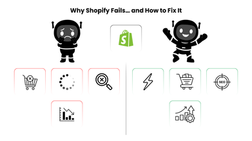
Why Businesses Choose Shopify (And Why It Feels So Promising at First)
People love Shopify because it removes all the hard parts of starting an online store. No complicated setup. No custom coding. No long development process. You pick a theme, add your products, and you’re ready to sell. It feels fast, simple, and empowering.
Shopify also gives you everything in one place: payments, checkout, apps, shipping, inventory, and customer tools. For new brands, this convenience feels like a huge advantage. You can go from idea to online store in a weekend.
But this simplicity can hide a big truth: launching a store is easy, growing one is not. You need tuned themes, strong product pages, and traffic sources beyond ads. Without these, every Shopify store eventually hits a wall. A structured upgrade using our Shopify development solutions
Where Shopify Stores Start Falling Apart (The Hidden Problems No One Talks About)
Most Shopify stores break down for the same reasons, and it usually happens slowly. First, product pages feel empty or unclear. Then the theme starts getting packed with apps that slow down loading. Mobile layouts look messy, SEO is missing, and suddenly the store becomes hard to find and even harder to trust.
Many store owners focus only on running ads. When those ads stop performing, everything else collapses because there’s no organic traffic, no brand story, and no strong conversion flow to keep sales steady.
These issues aren’t dramatic at first. They build quietly in the background until the store stops growing. But the good news is that once you understand what goes wrong, fixing these problems becomes much easier, and your store can start performing the way you hoped from the beginning.
The 10 Biggest Reasons Shopify Stores Fail
Mistake 1. Product Pages That Don’t Answer Real Customer Questions
Most Shopify stores fail right on the product page. The page looks “okay,” but it doesn’t actually help customers make a decision. Shoppers land on it, scroll for a few seconds, and leave because nothing convinces them to trust the product.
You often see:
Very short descriptions
One or two basic photos
No clear benefits
No real explanation of how the product helps
No sizing, materials, or usage details
Weak storytelling
People don’t buy when they feel unsure. And a vague product page creates uncertainty.
Great product pages do the opposite. They give clarity. They explain the value. They show real photos, real results, and real benefits. When customers understand exactly what they’re getting, conversions increase instantly.
If your product pages aren’t built to answer buying questions, your traffic will never convert, no matter how good your ads are.
Mistake 2. Slow Store Speed Caused by Heavy Themes and Too Many Apps
A slow Shopify store loses customers before it even gets a chance to sell. Most visitors won’t wait more than two seconds for a page to load. And many Shopify stores break that limit easily.
The biggest reason? Themes loaded with features you don’t need and apps that run in the background even when you’re not using them.
A slow store feels untrustworthy. Images load late, buttons respond slowly, and the whole experience feels outdated. When customers feel that friction, they click away.
Small fixes create big results:
Remove apps you don’t use
Cut down heavy sliders and banners
Compress your images
Use a lighter theme or clean up your current one
A fast store doesn’t just improve conversions, it improves SEO, ad performance, and overall customer trust.
Mistake 3. Poor Mobile Experience That Pushes Shoppers Away
More than half of online shopping happens on phones, but many Shopify stores still look like they were only designed for desktop. Buttons overlap, text becomes tiny, images stretch weirdly, and the checkout feels cramped.
When mobile feels uncomfortable, people leave fast.
Common red flags:
Hard-to-tap buttons
Long pages with no structure
Cluttered layouts
Slow loading on mobile networks
Missing sticky add-to-cart button
Text that’s too small to read
If your store works well only on desktop, you’re losing the majority of your potential customers.
A clean mobile experience feels simple:
Clear product info, quick add-to-cart, easy navigation, and fast loading. When mobile feels smooth, sales go up sometimes dramatically.
Mistake 4. No Real Brand Story or Trust Signals
A lot of Shopify stores fail because they feel generic. Customers don’t know who they’re buying from, why the brand exists, or whether the business is real. Without trust, even the best product struggles to sell.
Most stores skip simple trust-building elements like:
Clear About Us page
Real team photos
Social proof
Customer reviews
Guarantees or return policies
Authentic brand story
Shoppers want to feel safe before giving you their money. If the store feels faceless, they hesitate.
A strong brand story shows people why your product exists and why they should trust you. Add real photos, share your mission, display reviews, and show proof that you deliver. Trust sells not just design.
Mistake 5. Relying Only on Ads With No Organic Traffic Plan
Many Shopify owners depend entirely on paid ads. When ads work, the store feels alive. When ad costs rise or performance drops, sales crash overnight.
A store without organic traffic is always one algorithm change away from disaster.
Here’s what’s usually missing:
SEO-optimized product pages
Blog content targeting keywords
Email marketing
SMS flows
Social media presence
Repeat customer strategy
Ads should be fuel, not the engine. A stable Shopify store pulls traffic from many sources paid, organic, social, referrals, and returning customers. You can support that growth with solid technical groundwork through our Shopify development solutions.
Mistake 6. Complicated Navigation That Makes Products Hard to Find
If customers can’t find what they want fast, they leave. Simple as that. A lot of Shopify stores turn navigation into a puzzle with too many menu items, confusing categories, or hidden pages that matter.
Common issues include:
Long dropdown menus
Products buried in sub-categories
No clearly featured collection
No search bar
Irrelevant items in the main menu
Shoppers want clarity, not adventure.
Good navigation feels effortless. You guide the customer, not overwhelm them. Put your best products upfront, keep the menu clean, and make sure shoppers can find the right product in just a few clicks.
When navigation feels smooth, conversion rates improve immediately.
Mistake 7. Weak SEO Setup That Makes Your Store Invisible on Google
Many Shopify stores struggle not because the products are bad, but because no one can find them. Poor SEO is one of the biggest silent killers of e-commerce growth.
Most stores launch with:
No keyword-focused product titles
Meta descriptions left blank
Thin or duplicated descriptions
Missing alt text on product photos
Weak internal linking
Slow pages that hurt rankings
If Google can’t understand your store, customers won’t find it, no matter how beautiful your theme is.
Good SEO doesn’t require complicated strategies. Start with clean product titles, clear descriptions, optimized images, and fast loading. When those basics are right, traffic grows naturally and your ad costs drop.
Mistake 8. Checkout Friction That Pushes Shoppers Away
A lot of Shopify stores lose customers at the very last step, checkout. People add items to the cart, but something in the process makes them leave before paying.
Common checkout killers include:
Unexpected shipping fees
Too many form fields
Slow payment loading
No guest checkout
Missing trust badges
Complicated coupon fields
Your checkout should feel quick and safe. Shopify already gives you a strong checkout system, but you still need to remove friction around it. Be transparent with prices, simplify the form, keep it fast, and show reassurance like secure payment icons or money-back guarantees.
A smooth checkout can boost your conversion rate more than any design tweak on your homepage.
Mistake 9. Too Many Apps Slowing Down the Store
Shopify apps are helpful, but they can easily become a problem. Many store owners install an app for every little feature, reviews, pop-ups, upsells, countdown timers, tracking, bundles, chat support and suddenly the store is overloaded.
Each app adds scripts, files, and tracking code. The result?
Slower speed
Glitches
Conflicts between apps
Higher monthly costs
Most stores don’t need as many apps as they think. Many features can be built directly into the theme, or one good app can replace three weak ones.
A lighter app setup leads to faster pages, smoother browsing, and better overall performance. The cleaner your store is behind the scenes, the stronger it performs.
Mistake 10. No Post-Purchase System or Customer Retention Plan
Most Shopify stores put all their energy into getting the first sale, but almost no effort into getting the second one. This is one of the biggest reasons stores fail. New customers are expensive. Keeping customers is profitable.
Without a retention plan, you lose potential repeat buyers who already trust your brand. Many stores never follow up, never remind customers about restocks, and never build a relationship after the first purchase. As a result, revenue stays unstable and growth becomes too dependent on ads.
Stores that grow consistently have simple retention habits:
Follow-up emails that feel personal
A small loyalty program or rewards
Useful post-purchase content (care tips, guides, how-tos)
Targeted upsell or cross-sell offers
SMS or email flow for re-engagement
You don’t need complex systems. Even a few well-timed messages can turn a one-time buyer into a loyal customer.
The goal is simple: don’t let your relationship end at checkout. When customers feel cared for after they buy, they come back again, and that’s where real e-commerce growth happens.
How to Fix Shopify Performance Issues
A slow store kills sales before customers even see your products. The good news is that Shopify performance improves quickly once you clean up the things dragging it down.
Start with your theme. Many themes come packed with features you’ll never use. Remove unnecessary sections, disable scripts you don’t need, and simplify your homepage. A lighter theme loads faster and feels instantly smoother.
Next, check your images. Most Shopify stores upload oversized photos that look good, but slow everything down. Compress your images before uploading them and use the correct dimensions. Small changes here can cut your load time in half.
Apps also play a huge role. Every app adds code, so review your list and remove anything you’re not actively using. One powerful app is better than five weak ones.
Once you clean your theme, images, and apps, test your store on your phone with a normal network connection. If it loads fast there, you’re on the right track. For deeper improvements, explore our Shopify Development services in Dubai to make your store even faster and more reliable.
How to Fix the Most Common Shopify SEO Problems
SEO isn’t complicated, but it does require attention. Most stores suffer because the basics are missing. Fixing them gives you long-term, free traffic that doesn’t rely on ads.
Start by improving your product titles. Make them clear and keyword-focused so both Google and customers understand what you’re selling. Then update your product descriptions to include useful information, benefits, and natural keywords.
Images matter too. Add alt text that actually describes the product. This improves SEO and accessibility at the same time.
Next, fix your internal linking. Link your collections, related products, and blog content. This helps Google understand how your store is structured.
Finally, focus on your blog. Writing simple, helpful articles around your niche builds organic traffic and improves your product rankings.
Good SEO is just consistency. When your basics are strong, Google rewards you. You can start by improving your foundation with our E-commerce Website Development in Dubai.
How to Improve Your Shopify Conversion Rate
A Shopify store can get traffic, but without conversion-focused pages, those visitors won’t buy. Improving your conversion rate doesn’t require big redesigns. Small tweaks often make the biggest impact.
Start with your product pages. Add real photos, list clear benefits, show social proof, and answer common questions directly on the page. A confident product page always converts better.
Your add-to-cart flow also matters. Make your CTA visible, keep the layout clean, and guide customers with simple steps. Avoid distractions that pull them away from buying.
Trust plays a huge role. Show your return policy, money-back guarantees, customer reviews, and fast shipping details. These small signals reduce hesitation.
And don’t forget your checkout. Keep it simple, remove unnecessary steps, and let customers check out as guests.
When your conversion flow feels smooth and trustworthy, your sales improve naturally, even with the same amount of traffic.
When You Should Get Help From a Shopify Expert
There comes a point where fixing your store alone becomes frustrating, time-consuming, or simply not worth the stress. Shopify is powerful, but if the foundation wasn’t set correctly, every update can create new problems. That’s when getting help from a Shopify expert saves time and protects your business.
You should consider bringing in an expert when your store feels slow, even after basic clean-up, or when your apps keep conflicting and breaking features. If your product pages don’t convert, your SEO isn’t improving, or your mobile layout still looks off, an expert can quickly identify what’s wrong and rebuild the parts causing issues.
Hiring someone doesn’t mean you failed. It means you value your time and want your store to work the right way. A Shopify specialist can streamline your theme, remove hidden bloat, reorganize your structure, fix technical SEO, and create a smoother conversion path. These upgrades not only help performance but also set your store up for long-term growth.
Think of an expert as someone who strengthens your foundation so your store can finally scale without breaking.
Long-Term Practices to Keep Your Shopify Store Healthy
A Shopify store performs best when it’s treated like a living part of your business, not a one-time project. Small, consistent habits keep your store fast, trustworthy, and ready to handle new traffic and new customers anytime.
Start by running a simple monthly store check. Open your homepage, product pages, and checkout on your phone. Look for anything that feels slow, confusing, or outdated. These small checks help you catch issues long before they affect sales.
Your product catalogue also needs regular attention. Update descriptions, refresh photos, and remove items that no longer fit your brand. Fresh, accurate products build trust and improve SEO at the same time.
Apps and integrations should also be reviewed. Remove the apps you don’t use, update the ones you rely on, and replace outdated tools with cleaner, faster alternatives. A lean store always performs better.
Don’t forget SEO. Keep adding alt text, writing helpful blog posts, and updating metadata when products change. Search engines reward active, well-maintained stores.
Finally, track your analytics. Watch which pages convert best, where users drop off, and which marketing channels bring the most valuable customers. These insights help you improve without guessing.
With these simple habits, your Shopify store stays fast, modern, and profitable all year long.
Conclusion
Shopify gives you everything you need to start an online store, but success comes from how well you set up the foundation. Most stores fail not because the products are bad, but because speed, trust, SEO, and user experience were ignored from the beginning. The good news is that every issue you face, slow loading, low conversions, messy navigation, weak product pages, can be fixed with the right approach.
When you focus on clarity, performance, and the customer journey, your store becomes easier to use and much easier to scale. Small improvements like cleaner product pages, fewer apps, faster images, and a simple checkout can dramatically increase your sales.
If your store feels stuck or you want help improving performance and conversions, I can guide you through the next steps. Learn more about our E-commerce development solutions to see how your Shopify store can become a high-converting machine.
